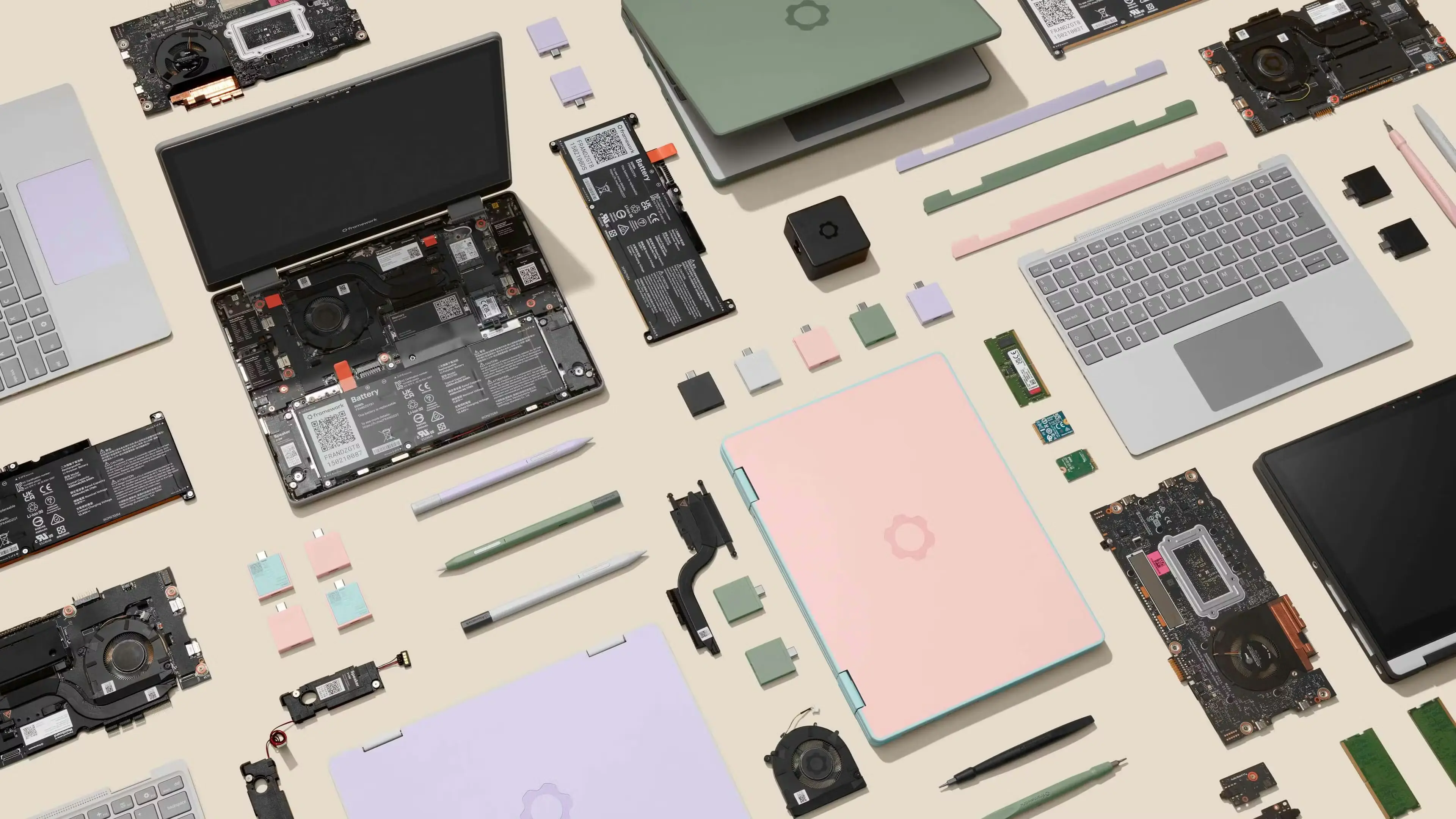
Credit: Image pulled from Framework’s 12" laptop product page
Framework 12 Laptop
I knew I would buy my next laptop from Framework the first time I saw what they represented – a radical shift in the consumer market. (I think it was this Linus Tech Tips video a few years ago…)
It was just a matter of when.
And then, the Framework 12 launched.
I think I have a thing for small computing devices. They are just so cute and quirky and fun. For some reason their small form factor makes me feel like I’ll code everywhere. On the train, on the plane, at the park, on a hike. I never actually do, but its the dreaming that makes it exciting probably lol.
This framework 12 laptop has it all: a smaller (than average) form factor, repairable & upgradable components, durable outer shell, and bold aesthetic (non metal color) colors?! I also kind of saw the, at the time, previous gen (under powered) i3 CPU as a feature. This would be a laptop for intentional computing. I couldn’t pass it up. I ordered the Sage Framework 12 with the i3 1315U and it has been a blast! After a few months with it, my wife was so allured by its cuteness she demanded the bubblegum colorway 😁
Keyboard Remapping
This was a bit of journey, but we got there!
Some people may know that there are some odd balls out there that don’t use the default
Colemak-DH - My Rant on Keyboard Layouts
I’m a converted acolyte of the anti-QWERTY alliance.
I don’t hate QWERTY. But it is illogical to persist using the keyboard that was not designed to be used as it is today. In my opinion, it is an inherited sin, and I will not perpetuate its havoc.
QWERTY was designed for type writers. Keys connected directly to the actuating hammers that would press the inked letters onto paper (or through ink ribbon, etc). Letters that were commonly pressed together were moved apart to prevent jamming. Literally, an un-ergonomic layout.
I type for my living. The promise made by Colemak (and friends) is reduced strain.
Look up keyboard layout heatmaps if you are interested. The most commonly pressed keys are put closer to your fingers on home row (who would have thought?). Its like carrying the trash can along as you pick up trash along a path vs going back and treking back and forth between the can and the piece each time (assume trash piece == carrying capacity lol).
You may think the example is very exagerated. Yes, its physically a lot more movement. But, I probably type thousands of characters a day. Maybe tens of thousands on the heavier days. So an extra inch stretch * 1000, every day. These add up. And you can feel it.
I will be honest though, if finger or wrist (especially wrist) pain is a serious problem for you, a layout change provides some benefit, but requires a lot of effort. I had burning wrists after a work day for a while. The thing that fixed it was a split keyboard. Holding both hands close together in front of you to type is akin to being handcuffed. No really! Put your hands out onto your computer keyboard (assuming you have a standard rectangle brick of a board). Your wrists come together, then your hands fan out cock-eyed. The best solution, in my opinion, is to cut your keyboard in half and center them to each hand! Or get the Wave keyboard. They both essentially accomplish the same thing - to keep
The only real downside to switching is that most of the world hasn’t caught on to the genius of alternative layouts.
-
You will need to spend ~2-10 minutes every time you start a new videogame or some piece of software to rebind keys. Sometimes this is kind of painful or impossible.
-
Your keyboard / computer becomes less usable to others.
-
People will expect you to type so much faster now. You may also hope that. Unfortunately, that I think is a separate skill you would have to develop. Proficiency and speed kind of feel like aerobics and resistance training. Yes, one improves the other, but not really directly. You sort of have to lift weights to gain muscle, and to expect to type super fast just because you moved common keys closer to your fingers is missing the point.
-
Most people will think you made a poor life choice and not be very curious why you took time to tank your WPM speed just to confuse your keyboard letters. At least, that’s been my experience lol.
As an aside, my qwerty literacy has not changed. I think I’m slightly slower, but for typing on qwerty keyboards like once a month, if that, you’d think it would atrophy a lot more, but it feels more like riding a bike. The muscle memory kicks in really fast. Its almost spooky lol. But my brain can certainly hold two layouts (or more?) at once.
Moving the Keys Physically
Now, the easy part.
The Framework 12 shipped with a neat little philips / hex screw and spudger, it even matched the laptop colorway! 😍 I used the spudger to slide under the north-east corner of the key, and push the tip down into the base whilst lifting the spudger up slowly. This would pop the plastic key off the underlying butterfly switch, and allowed me to rearrange to my heart’s content!
Reprogramming the Keys
Now, the busy part.
I will confess, I happily used AI (Claude Opus 4.5 with Opencode) to figure out how to reprogram my framework’s laptop keyboard in the firmware. I don’t really like using a keymap setting in the desktop software as it changes external keyboards you plug in as well.
Turns out, the embedded keyboard controller is programmable, thanks to a handy ec tool! So, I just had to throw AI at it and give me a big list of key code commands that look like
ectool raw 0x3E0C d1,d1,b7,b8,w2b # this converts the 'e' key to 'f'
After an hour, AI could not get it right. Instead, I had AI write a simple script to slowly turn the whole keyboard into semicolons ; and I would not the value in the keyboard matrix for each physical key. Apparently no one has documented the framework 12’s matrix, and it did not match the 13.
After doing that and giving AI the correct values, it did it correctly! 🙄
It really is painful when AI makes things take way longer… I don’t need more reasons to dislike AI, its already a tenuous relationship!
Janky Homing Bumps with a Hot Iron
Finally, the risky part.
NixOS - The Greatest OS
NNN - The Greatest Desktop Experience
NixOS + Niri + Noctalia
These three pieces of software have changed the game for my linux experience.
Linux, I think, has a usability problem. It can often feel unapproachable and opaque.
Not that Windows is super user friendly…
However, that is to me what makes Linux so wonderful. Because you can’t as easily assume functionality and get away with it, you actually learn to use your computer.
Who do you know has ever read their car owners manual substantially? Or at all? But they actually contain really helpful information! Like how to reset the oil change light if you were to change your own oil.
Anyway, linux is great, and you must learn it. Learning it is half of what makes it great: once you learn how it work, you can tweak it to your heart’s content!
And NixOS makes (some) things so much easier!
I don’t think I’ve written much on nix, but I’ve been daily driving it for a while. My NixOS system repo’s first commit was 3 years ago! It ended my distro hopping, either from sunk-cost-fallacy or it is just better lol.